

The most important bus tip: check the stop number
Korean bus stops can have similar or identical names on opposite sides of a road. The bus may also run in both directions under the same route number.
Before boarding, confirm:
- Bus stop number
- Direction shown after To
- Bus number and color or service type
- Destination or next major stop
Screen 1 — Buses and subways in one app
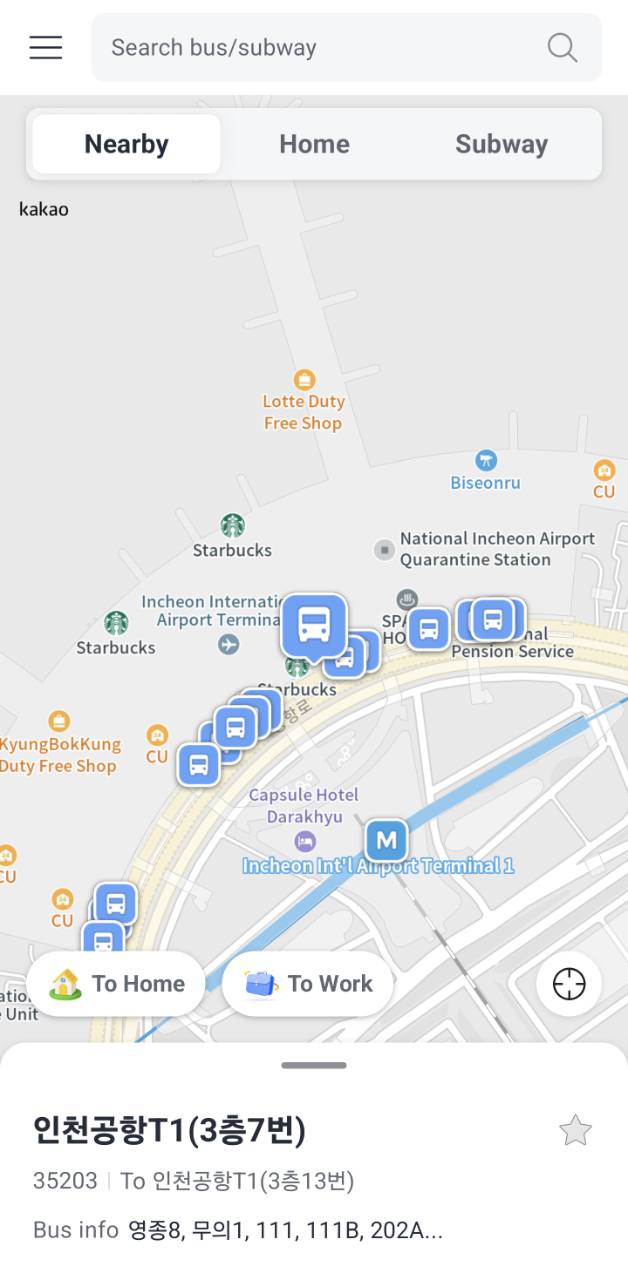
Use Nearby to see bus stops around the selected location. Open Subway to switch to the rail map. The same search bar accepts buses and subway stations.
The screenshot shows stop 35203 at Incheon Airport Terminal 1. The Korean stop name remains visible, so use the stop number as the safest identifier.
Screen 2 — Check real-time bus arrivals
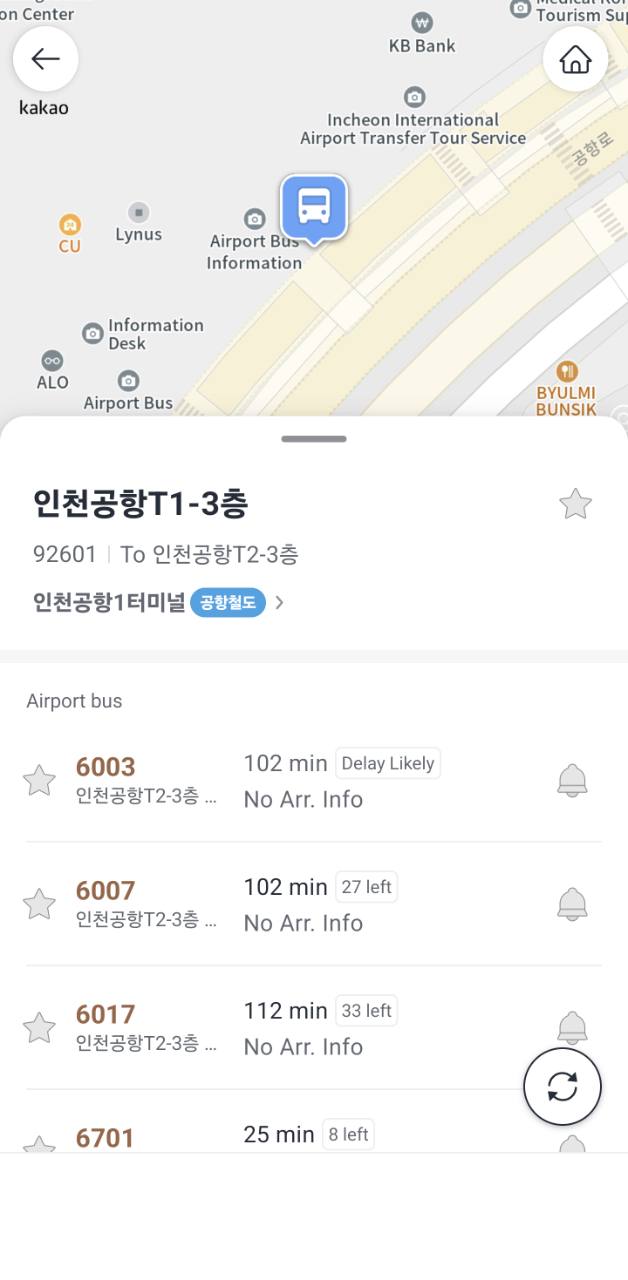
The stop page lists each route and its available arrival estimate. It can also show remaining seats for some airport or express buses.
No Arr. Info means a reliable live arrival time is not currently available. Delay Likely is a warning, not a guaranteed delay time. Refresh before walking away from the stop.
Screen 3 — Follow the full bus route
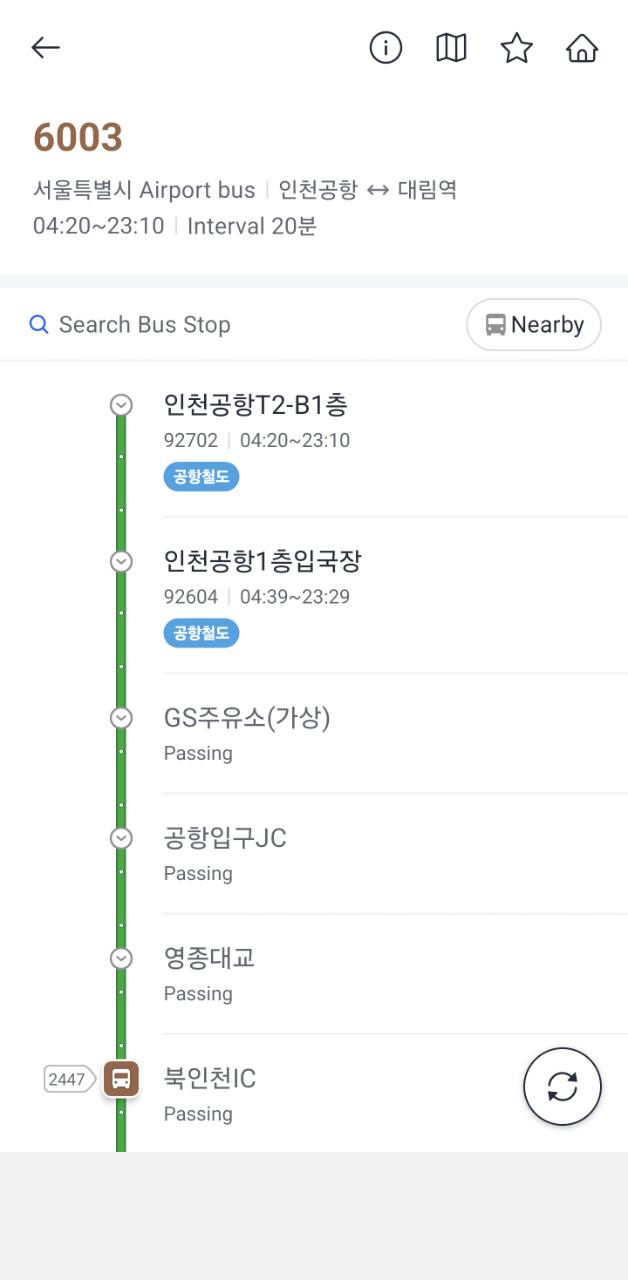
The route page shows the operating direction, first and last service times, interval, stop order, and the current position of a bus when data is available.
Here, route 6003 is shown from Incheon Airport toward Daerim Station. Confirm the direction at the top before using the stop list.
Screen 4 — Check a subway station
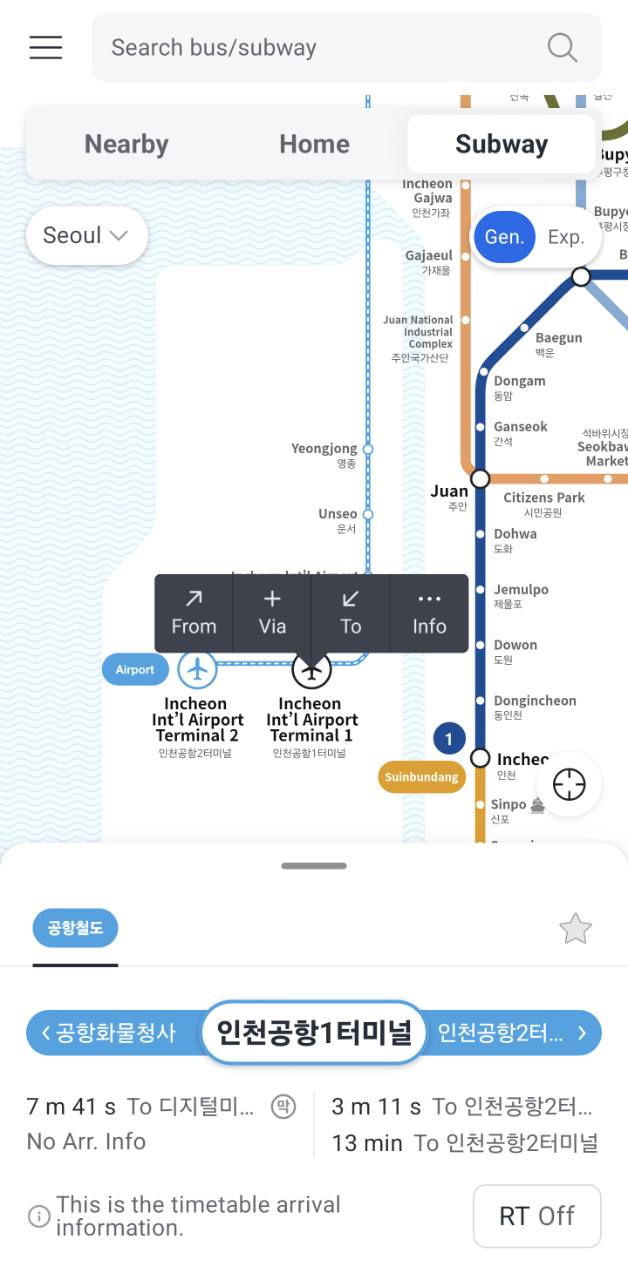
Tap a station to see both directions and available arrival information. Gen. and Exp. switch between general and express services where supported.
If the screen says the result is timetable information or shows RT Off, treat it as a schedule rather than a confirmed live train position.
Screen 5 — Compare a subway route
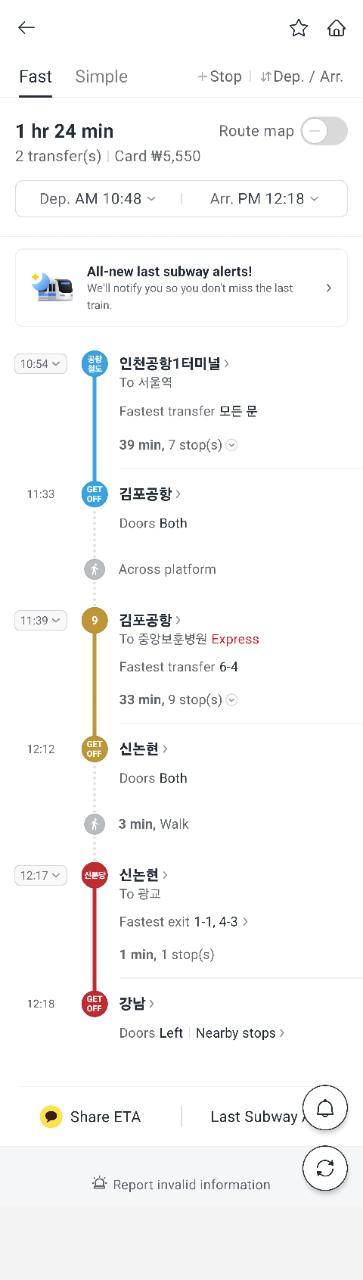
The subway route view can show total time, fare, transfer count, train direction, number of stops, which doors open, fast-transfer position, walking between platforms, and useful exits at the destination.
The example route from Incheon Airport Terminal 1 to Gangnam takes an estimated 1 hour 24 minutes, includes two transfers, and shows a card fare of ₩5,550. Times and fares can change.
A 30-second check before boarding
Stand where you can see the physical stop sign and compare it with the app. In this order, confirm:
- The stop ID, not only the translated stop name.
- The To direction or the next two stops on the route.
- The route number and service type; the same number can refer to a different service in another city.
- The vehicle’s front display when it arrives.
Keep the route page open for the first two stops. If the names move in the expected order, you are traveling in the right direction. This is safer than noticing the mistake after several kilometers.
When the live screen does not behave as expected
“No Arr. Info” stays on screen
Refresh once and check whether other routes at the same stop have live data. If only your route is missing, use the posted schedule or local operator information and watch the stop display. Do not convert “no data” into “no bus”; the app is telling you that it cannot provide a reliable live estimate.
The countdown freezes or jumps backward
Treat the time as an estimate, not a promise. Traffic, a delayed data feed, or a vehicle starting its route can change the countdown. Stay at the correct stop when the bus is close, and use the approaching vehicle’s route display as the final check.
The arrival alert is silent
Battery-saving settings can stop background location or notifications even after an alert was created. Keep the route visible, follow the stop sequence, and ask the driver before boarding if the destination is uncertain. An alert is a backup, not a substitute for watching the route.
You are planning the last service
Open the full line and direction, not a saved arrival card from earlier in the day. Recheck the operator or station display, allow time for the walk to the correct side of the road, and prepare a taxi fallback. A scheduled last trip can still be affected by a service change.
For airport and express buses, a displayed seat count is information only. It does not reserve a seat or replace any separate ticket or boarding rule used by that operator.
What KakaoBus does
KakaoBus is no longer only a bus-arrival app. It provides nearby bus stops, real-time bus arrivals, full bus routes, subway arrivals, and subway route searches in one app. Its current official Android listing states that real-time bus information covers 57 South Korean cities; the detail and freshness still depend on each local data provider.
You do not need a Korean phone number or account for the core information features. Location and notification permissions are optional.
The app supports English and Korean. Japanese and German interfaces are not currently listed by the official app stores, so Japanese- and German-speaking travelers should use the English interface.
Bus and subway alerts
KakaoBus can provide boarding, exit, service-disruption, and last-subway alerts. These features require notifications and may need background location access. Keep the phone charged and still watch the vehicle or station display.
When another app is better
Use NAVER Map or KakaoMap when starting from a hotel, restaurant, or street address and you need one route that includes the walk to a stop, bus or subway segments, and the final walk.
Use KakaoBus when you already know the route, stop, or station and want detailed live arrivals and route information quickly.