
Quick answer for foreign visitors
Select Foreigner, buy a pass with a credit card, find a station, scan the QR code on a bike, and return the bike at an official Seoul Bike station.
You do not need to create a regular Korean account in the captured foreigner flow. You do need a valid email address, card payment, camera access for QR scanning, and access to the service from within Korea.
The official app listing describes the service as operating 24 hours a day. That means the system is available overnight; it does not guarantee that a nearby station has a usable bike or that the route is comfortable after dark.
Screen 1 — Enter through Foreigner
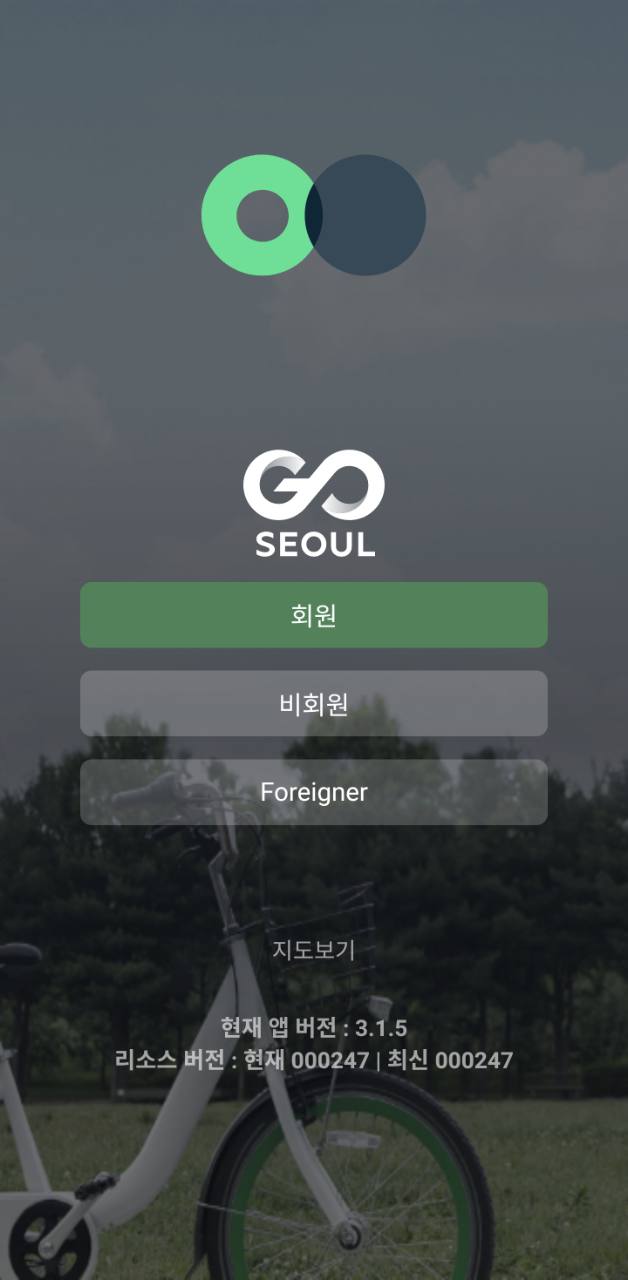
Tap Foreigner. Do not choose the Korean member path unless you have the required Korean account and verification.
The current screenshot is from app version 3.1.5. Some surrounding labels can remain in Korean even in the visitor flow.
Screen 2 — Choose the correct pass
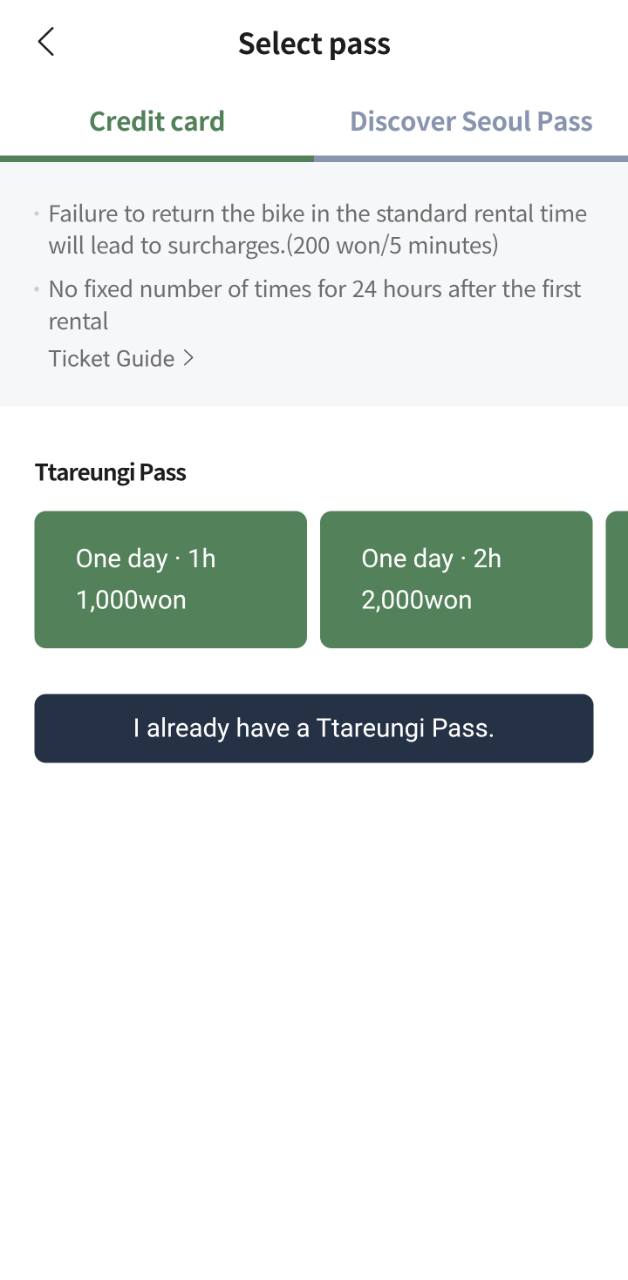
The captured credit-card screen shows:
- One-day · 1 hour: ₩1,000
- One-day · 2 hours: ₩2,000
- Overtime: ₩200 per 5 minutes
- Repeated rentals allowed for 24 hours after the first rental
The current official fare page also lists a one-day 3-hour pass for ₩3,000, introduced in November 2025. Scroll horizontally or check the live app before paying if you want that option.
Important: the 1-hour and 2-hour labels are the maximum base time for each individual rental. Return the bike within that time. You can then rent again during the pass’s 24-hour validity.
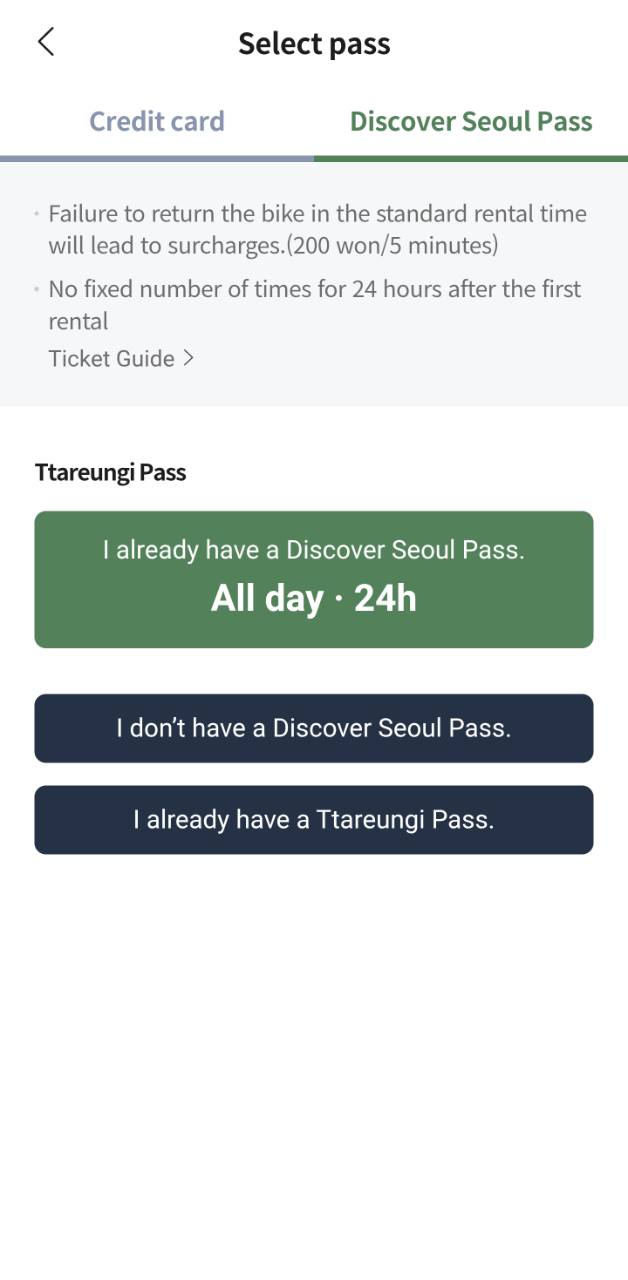
The All day · 24h option shown here is for someone who already has a Discover Seoul Pass. It is not presented as a separate ordinary 24-hour credit-card pass.
Screen 3 — Pay by credit card
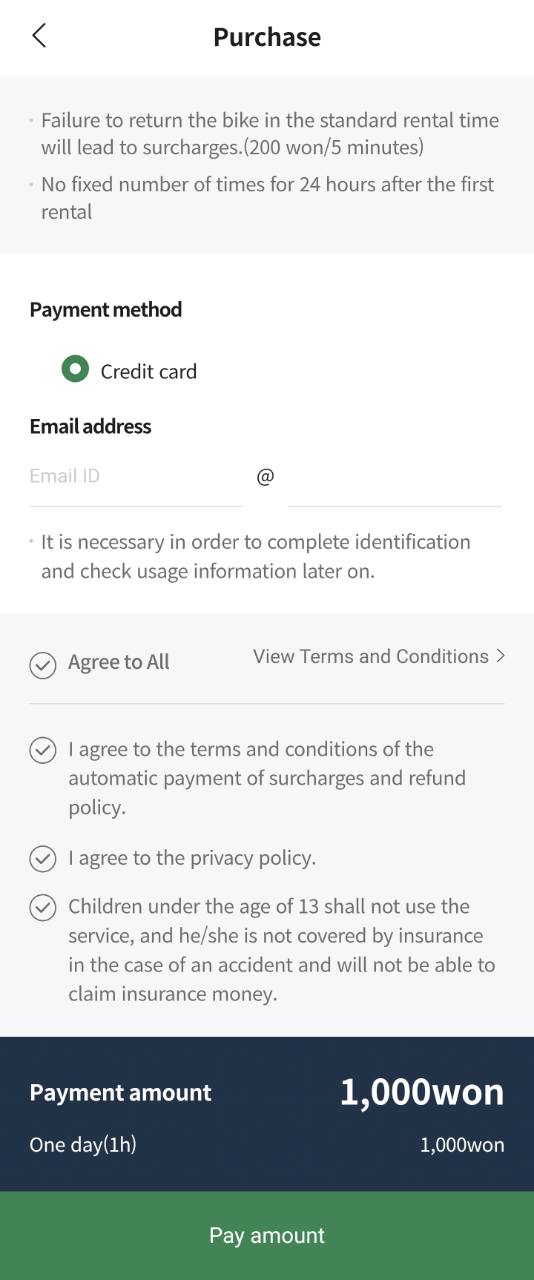
Enter an email address you can access during the trip. It is used to identify the purchase and check usage information later.
Review the automatic overtime-payment and refund terms before agreeing. The screenshot also states that children under 13 cannot use the service.
No Korean phone-number field is shown in this foreigner checkout, but successful card authorization is still decided by the issuer and payment processor.
Screen 4 — Find a station with bikes
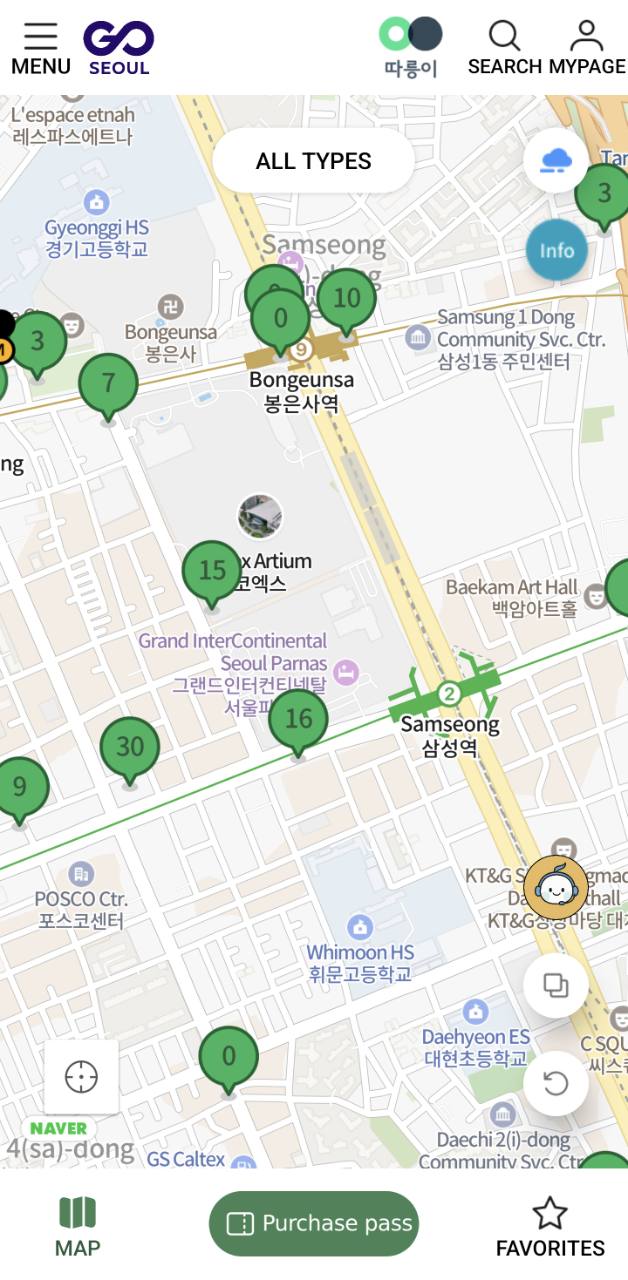
Green markers show stations and the available-bike count. A marker showing 0 has no bike available at that moment.
Check two nearby stations before walking over. Counts can change quickly, especially near subway stations during commuting hours or around popular parks on weekends.
Screen 5 — Wait for the bike to unlock
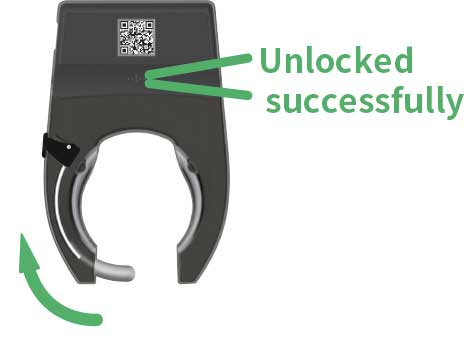
Tap the rental button and scan the QR code on the rear lock. If the app offers it, enter the bike number manually when scanning fails.
Wait for the lock to open and for the rental to be confirmed. Before riding, squeeze both brakes and check the tires, chain, seat, lights, and visible damage.
Screen 6 — Pull the lock closed to return
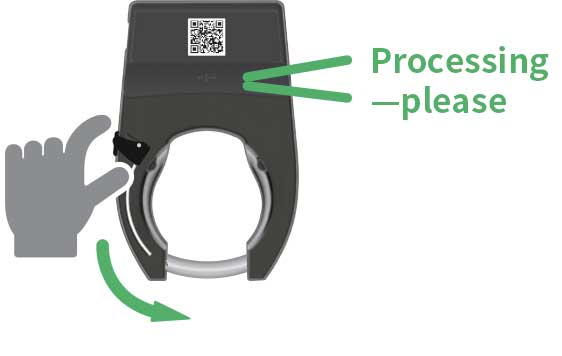
Park the bike inside an official Seoul Bike station and pull the rear lock closed. Stay beside the bike while the return is processing.
Do not treat a parked or manually locked bike as returned until the system confirms it.
Screen 7 — Confirm the return
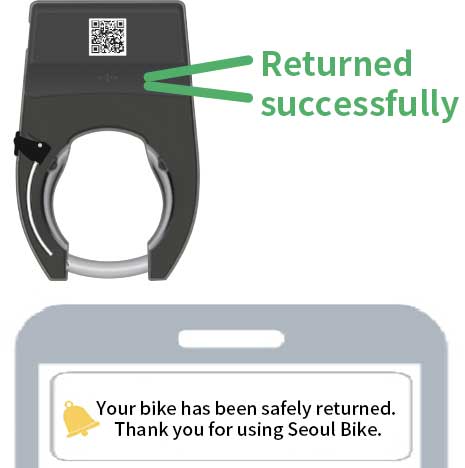
Look for Returned successfully, the return voice message, or the smartphone confirmation. If no confirmation arrives, reopen the app, check the bike lock, and contact the Seoul Bike center at 1599-0120 before leaving.
If the rental fails: use this recovery order
The purchase screen will not load
If you are roaming or using a travel eSIM, the connection can still appear to come from outside Korea. Try a trusted Korean Wi-Fi network or a Korean-carrier connection. Before tapping Buy again, check the pass list and your email so that a slow confirmation does not lead to a duplicate purchase.
If the app remains unusable, try the official English Seoul Bike website. Do this before walking to a station: payment and network troubleshooting are much easier while you still have Wi-Fi and an alternative transport option.
The QR code will not scan
Allow camera permission, wipe the lens, shade glare on the rear lock, and fill the scan frame with the code. If the app offers manual entry, type the bike number exactly. Location access may also be needed for the Bluetooth connection on Android.
Do not pull or force the lock. If the app says a rental started but the wheel remains locked, save the bike number and rental screen, stay beside the bike, and use in-app support or call 1599-0120. If no rental started, choose another bike rather than repeatedly scanning a damaged code.
The bike unlocks but is unsafe
Squeeze both brakes before moving. If a tire is soft, the chain slips, the saddle will not hold, or a light is damaged, do not begin the trip. Return the bike immediately, confirm that the rental has ended, report the defect, and select another bike. A cheap pass is not worth trying to ride a faulty bicycle to the next station.
The station becomes empty while you walk there
Availability is a live count, not a reservation. Before leaving, identify two stations within a manageable walk and refresh when you are a few minutes away. Around commuting hours and popular riverside parks, use the direction with several nearby stations rather than walking toward one isolated marker with a single bike.
The return confirmation never arrives
Stay with the bicycle. Reopen the ride screen, check that the rear lock is fully closed, and wait for the voice, app, or message confirmation. Save the bike number and a screenshot showing the active rental, then call 1599-0120 if the status does not change. Leaving while the app still shows an active ride can lead to overtime charges and makes the problem harder to document.
Before every ride
- Check brakes, tires, chain, saddle, and lights.
- Use a helmet and follow Korean traffic rules.
- Do not ride with earphones blocking traffic sounds.
- Avoid sidewalks unless bicycle use is clearly allowed.
- Check rain, heat, air quality, and the route before starting.
Best use cases
Seoul Bike works best for short rides on riverside paths and between nearby places. It is less suitable when carrying large luggage, traveling with a small child, riding in heavy rain, or needing a guaranteed bike at a specific time.