
Install the new 2026 app
Korea’s Ministry of the Interior and Safety replaced the older Emergency Ready App during the 2026 update. Store search results can still show an entry labeled Old. Use the current links on this page and confirm the developer is Korea’s Ministry of the Interior and Safety.
The June 2026 update expanded disaster and safety information from three languages to 22. It also strengthened location-based alerts and access to nearby safety facilities.
The current Android listing was updated on August 20, 2026, and the current iOS listing shows version 1.1.13 dated August 18. Those dates do not guarantee that every phone receives an update at the same time, so identify the app by its developer and the store links above rather than by icon color alone.
Turn on the settings that make it useful
Allow location and notifications, then check the language and alert region. Without those permissions the app can still be a reference, but it may not warn you about the place where you are staying.
Before a typhoon, heavy rain, or extreme heat, open the app and identify a nearby evacuation facility and public medical facility. Saving your hotel or accommodation address in Korean also makes it easier to explain your location during a call.
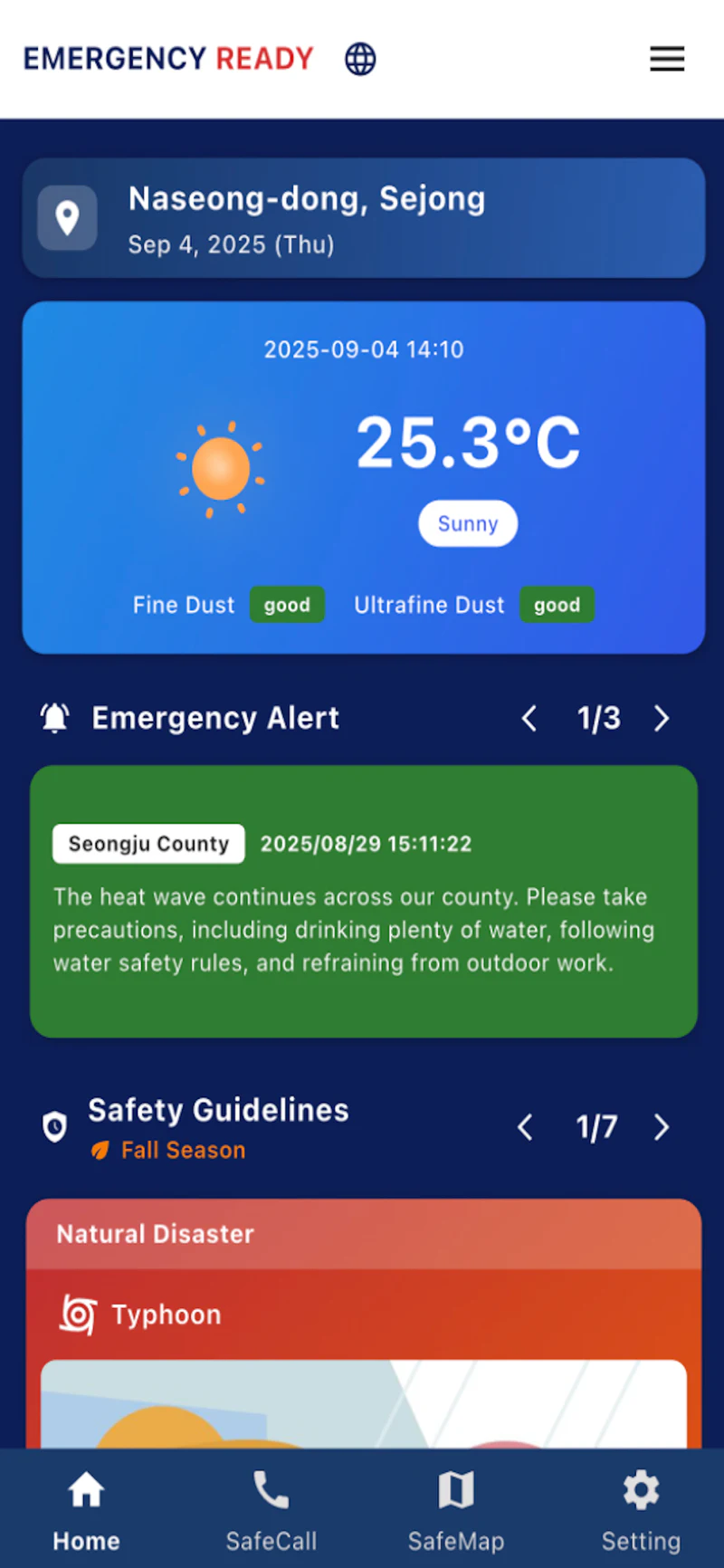
How to read an alert
Focus on four items: the affected place, the hazard, the time, and the requested action. Do not assume every alert means immediate evacuation; some are warnings or safety notices. If the translated wording is unclear, compare the location name with your map and ask hotel staff or 1330 for help when the situation is not life-threatening.
For immediate danger, call 112 for police or 119 for fire and ambulance. Follow evacuation orders and instructions from emergency personnel even if the app has not refreshed.
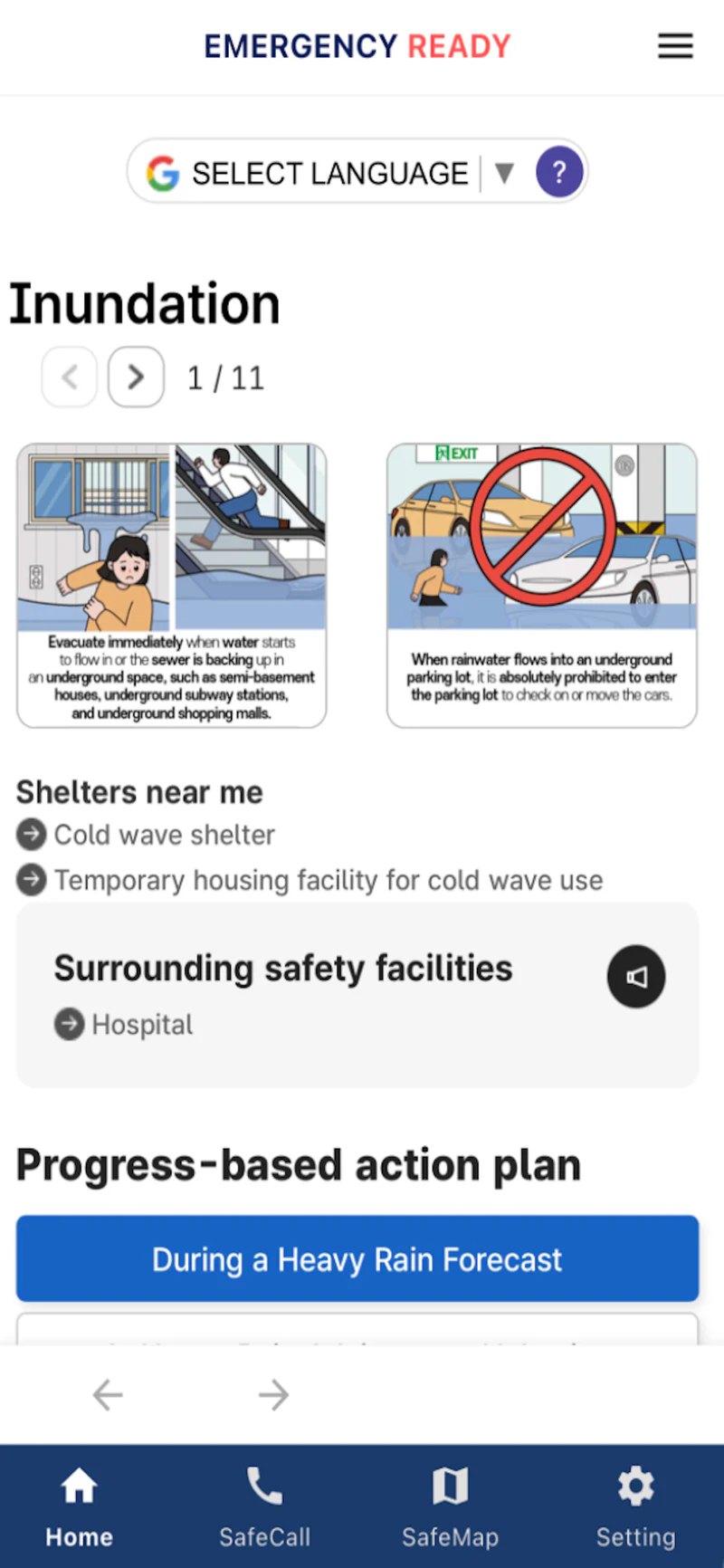
Useful facilities inside the app
The current service provides nationwide searches for evacuation facilities, emergency medical centers, fire stations, and police stations, along with safety guides and a direct 119 call option. Treat facility information as a starting point: opening status and the appropriate level of medical care can change during a major incident.
Do a five-minute setup at every new accommodation
An alert is much easier to interpret when you already know the Korean administrative area around you. After checking in, save the hotel or guesthouse name, road address, district, and nearest obvious landmark in Korean. Open one nearby evacuation facility in the app and look at the walking route while the weather and mobile network are normal. A pin alone is not enough: note whether the route crosses a river, underpass, steep slope, or large road that could become unsuitable for the hazard you are facing.
Take screenshots of the accommodation address, the facility name, and the emergency numbers. Share the accommodation name and a simple meeting point with companions in case you are separated. This preparation is especially useful when only one traveler has roaming data or when a warning arrives during the night.
If an alert arrives while you are on a train, bus, or walking
First decide whether the named city, district, or neighborhood covers your current position or your next destination. Then identify the instruction: monitor conditions, avoid an area, move indoors, or evacuate. Do not start toward a map pin merely because it is labeled “shelter”; follow the action in the alert and instructions from transport staff, police, firefighters, or local broadcasts.
In a station or large building, keep the alert open and show it to staff if the translated wording is unclear. If service is suspended, ask for the safe exit rather than automatically following your original route. During flooding or fire, a normally convenient underground passage or elevator may not be the route authorities want you to use.
Plan for a dead battery or failed data connection
The app cannot help if the phone is unavailable. Carry a small power bank on long travel days and keep 112, 119, your accommodation, and any important medical information in an offline note. If you cannot reach the app, use local warning speakers, digital signs, cell broadcasts, and staff directions. For immediate danger, make the emergency call first; do not spend time troubleshooting notifications or waiting for a translated alert to refresh.