

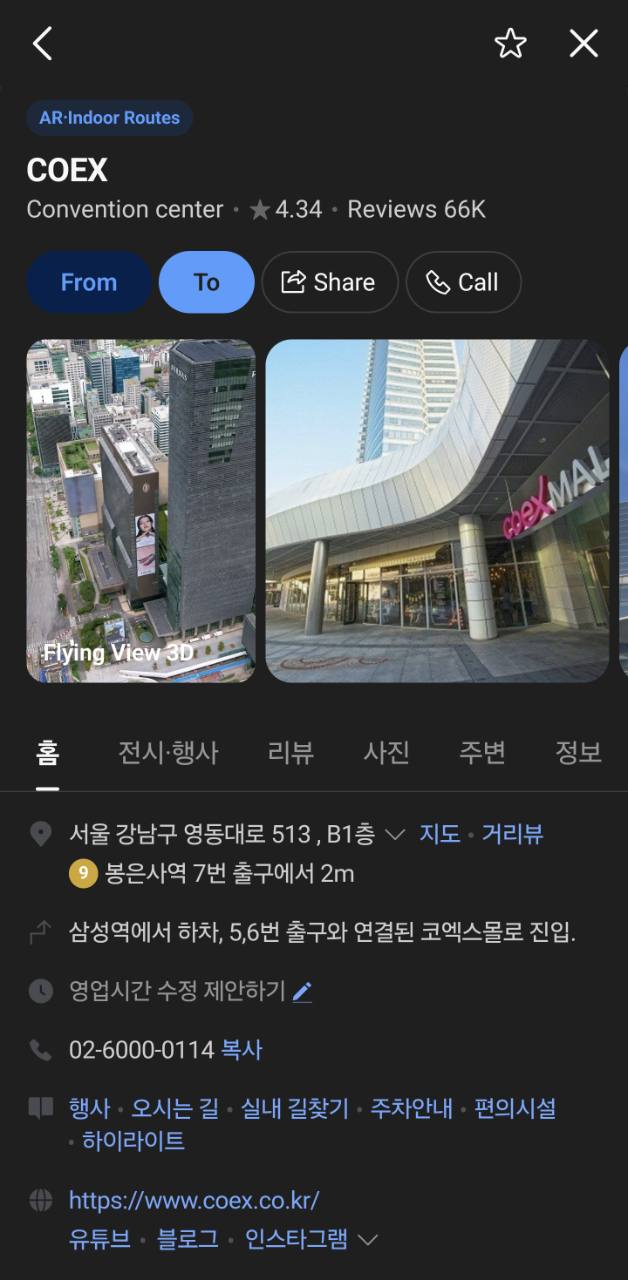
1. NAVER Map for the final local route
Use NAVER Map after you know the destination and need the correct branch, station exit, bus transfer or final walk. NAVER currently provides a multilingual map experience for international visitors, but Korean names and road-name addresses remain the most reliable handoff between a booking confirmation, map and taxi app.
Before leaving home, search your accommodation and compare four details: Korean name, district, road-name address and nearby station. Save the place and take a screenshot that includes the Korean text. Repeat this for the airport terminal or station where you expect to arrive.
Do not assume that every booking or payment button shown inside the map has the same access conditions. NAVER added passport verification for supported booking, order and payment services in June 2026, but availability can still vary by service and merchant. Treat basic search and directions as the core function.
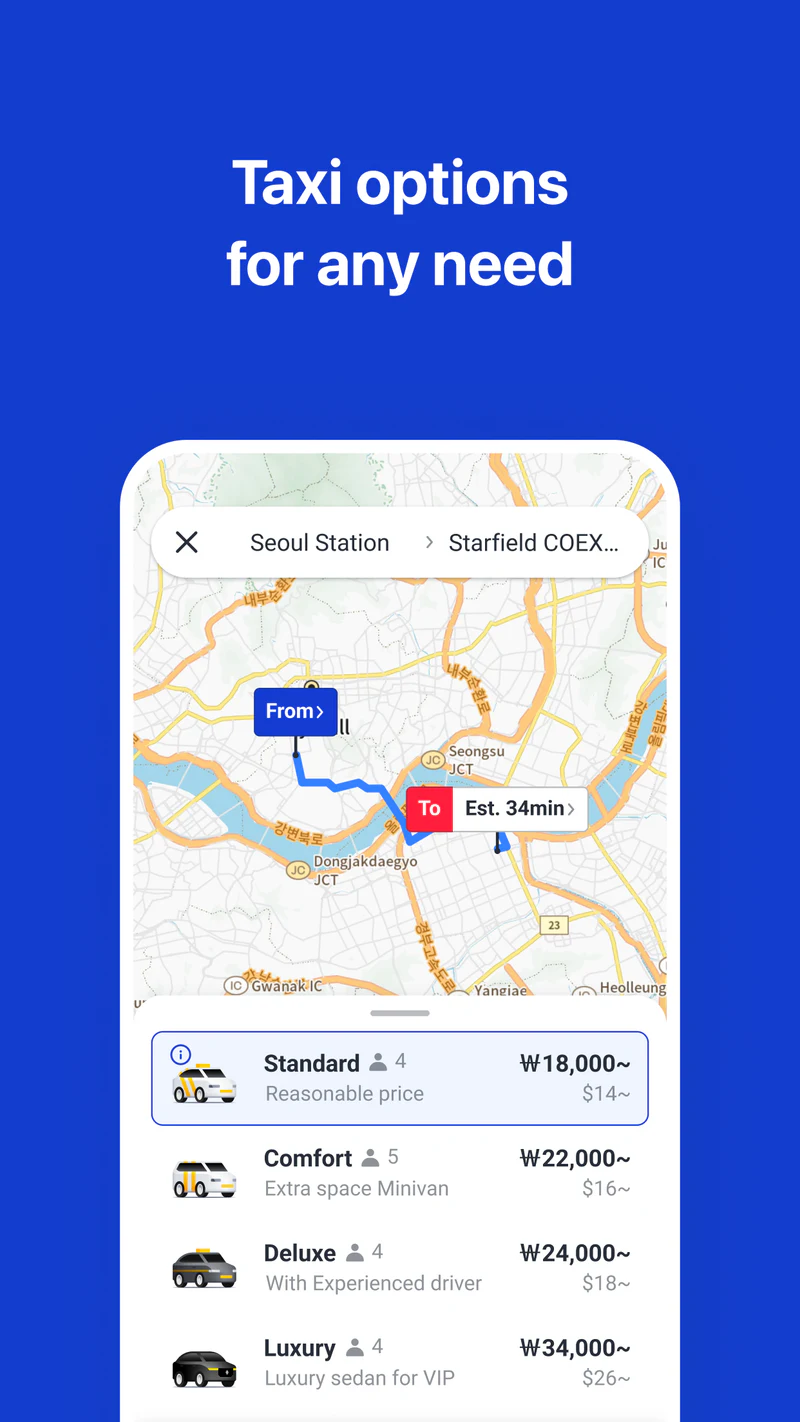
2. k.ride for a taxi when public transport is awkward
k.ride is Kakao Mobility’s visitor-focused taxi app. Its official site lists an English, Japanese and Chinese interface, multilingual destination search and driver chat, a fare estimate before dispatch, and automatic payment by card or supported mobile payment.
Register while you still have reliable access to email, SMS and your bank’s verification method. Add a card, but keep a second card available because issuer approval and regional settings are outside the app’s control. Search the same hotel address used in NAVER Map and compare the pin before saving it.
At pickup, move the pin to the side of the road where a taxi can legally stop. Airports, large stations and shopping complexes can have several pickup levels. The driver’s route to your pin matters more than your blue GPS dot. Keep the vehicle plate and pickup message visible, and do not enter a car that does not match the booking.
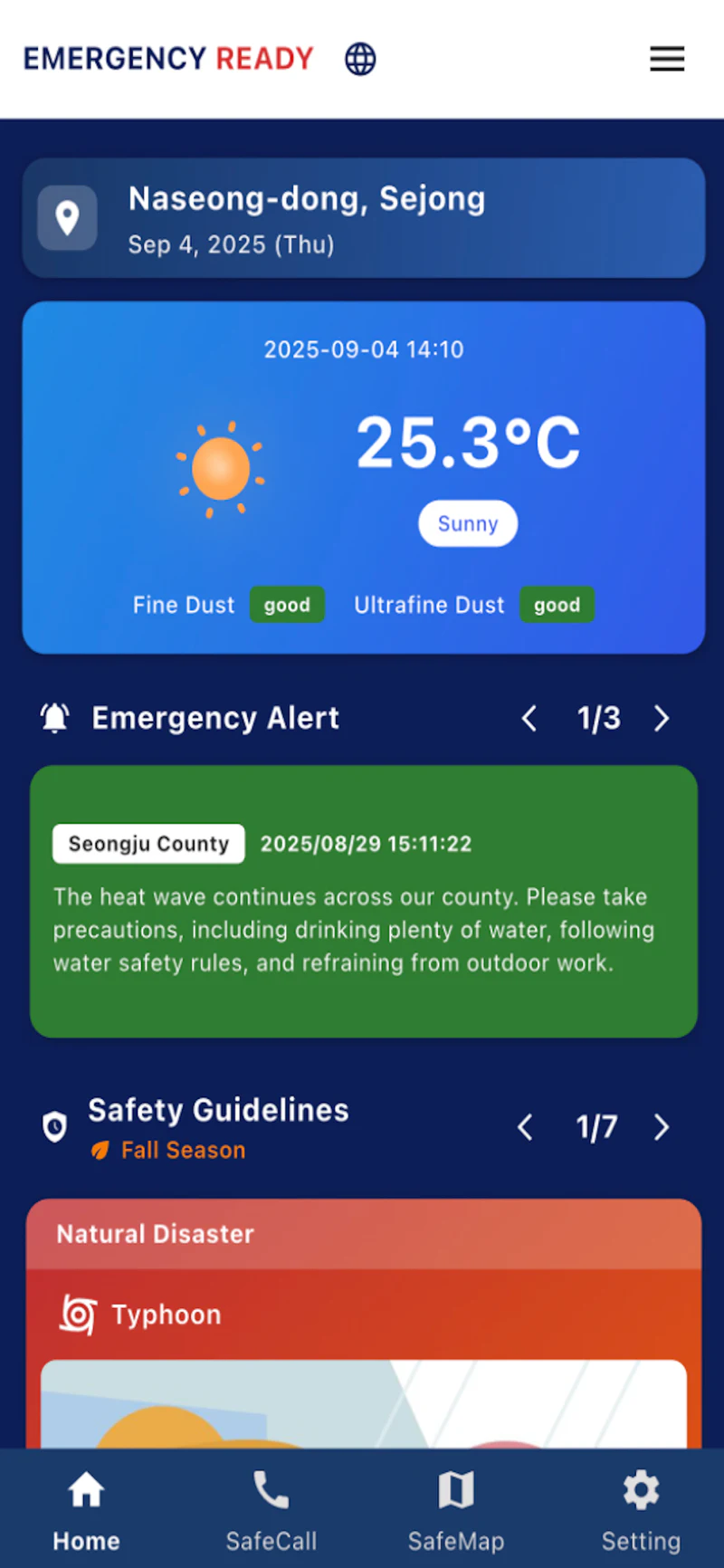
3. Emergency Ready for official safety information
Install the current Emergency Ready App, not a store entry marked as an old version. In its June 2026 update, Korea’s Ministry of the Interior and Safety describes disaster messages, response guidance and embassy information for foreign users, with language support expanded to 22 languages. The same announcement covers the separate Korean-language Safety Stepping Stone app; do not assume every facility feature described for that app is also available in Emergency Ready.
Open the app once under normal conditions. Check the available language, notification and location settings, and open a safety guide. This rehearsal matters because a translated alert can contain an unfamiliar place name or arrive while the phone is locked. Available screens and permission prompts can differ by app version and device.
The app supplements emergency services. In immediate danger, call 112 for police or 119 for fire and ambulance and follow instructions from authorities at the scene. Save your accommodation’s Korean address so you can state or show your location.
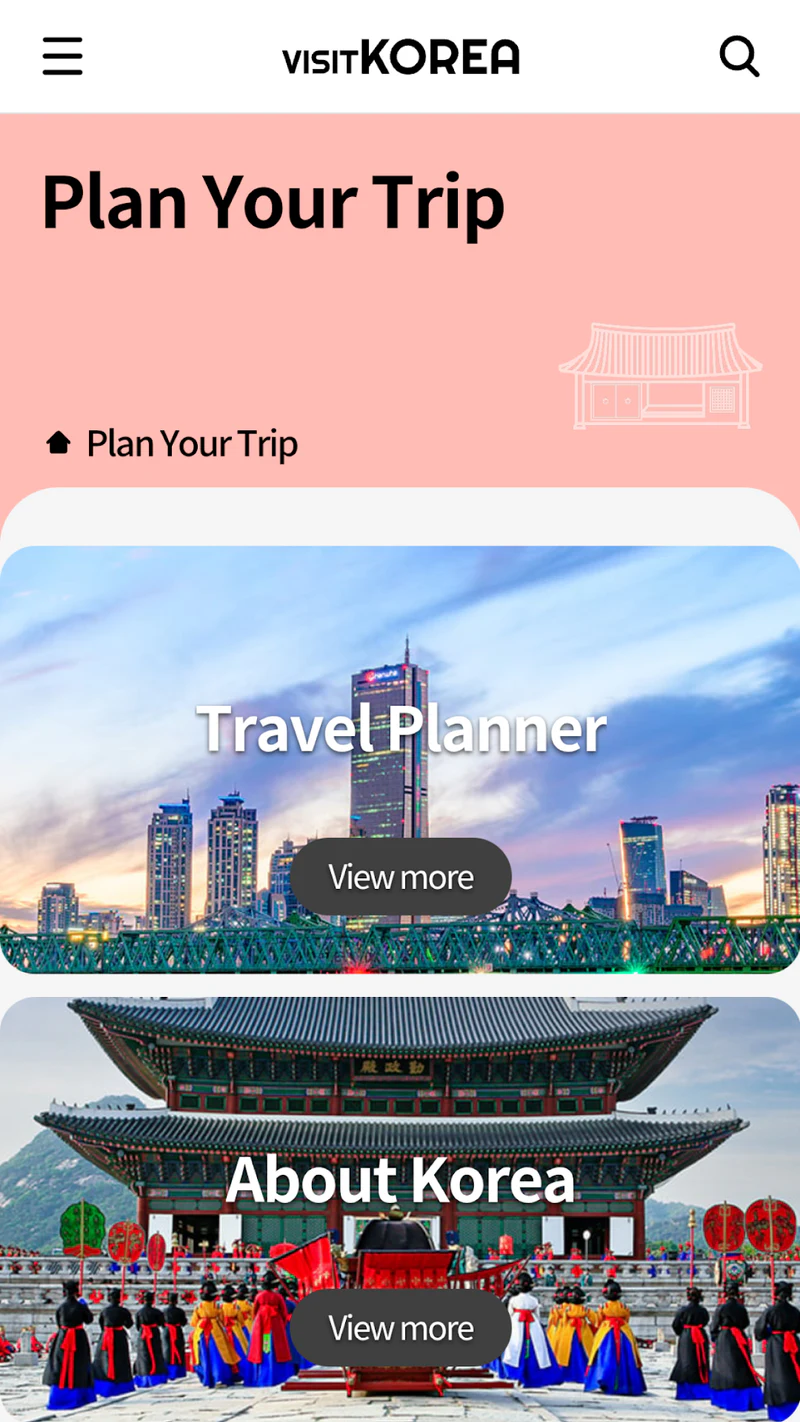
4. VISITKOREA for planning and visitor support
Use VISITKOREA for official attraction, food, accommodation, shopping, festival and regional information from the Korea Tourism Organization. Its current guide also lists Travel Planner, suggested itineraries and themed travel content.
VISITKOREA is best used before the trip to shortlist places and check current announcements. It is not the strongest tool for the last alley or the correct branch of a chain, so transfer the final Korean name or address to NAVER Map. Keep the 1330 Korea Travel Helpline entry accessible for non-emergency travel information and interpretation support.
Location-based event or offer notifications are optional. Enable them only if they add value to your trip; they are not required for the core planning function.
Run this test before departure
Do not stop after installation. Complete one harmless task in each app:
- Search the hotel in NAVER Map and start a route from the arrival terminal.
- Enter the hotel as a k.ride destination without requesting the car; compare the pin and fare estimate.
- Open Emergency Ready, verify the language and view a nearby facility or safety guide.
- Save one attraction in VISITKOREA and find the 1330 support entry.
- Put the Korean hotel name, address, phone number, reservation code and emergency numbers in one offline note.
If registration or card verification fails at home, you still have time to solve it or choose a fallback. At the airport, that same failure competes with roaming, battery and luggage.
Prepare for low battery or no data
Take screenshots of the first route, accommodation address and booking confirmation. Carry a charged power bank that complies with your airline’s cabin rules, and know how your SIM or eSIM activates after landing. Public Wi-Fi can help, but it should not be the only way to retrieve the address where you are sleeping.
Keep a small written card with the Korean hotel name and address. If the phone is lost or flat, this gives an information desk, taxi driver or police officer a usable destination. A compact offline fallback is more valuable than installing a fifth map you have never opened.
Why four apps are enough for most first trips
Long “must-have app” lists create work without reducing much risk. A smaller setup is easier to test and remember when you are tired, offline or standing at an airport pickup zone. The useful distinction is not which app is most popular; it is which travel problem each app owns.
| Job | Primary app | What to prepare |
|---|---|---|
| Find a place and plan a local route | NAVER Map | Korean place name and road-name address |
| Request and pay for a taxi | k.ride | Account, payment method and exact pickup pin |
| Receive official disaster information | Emergency Ready | Location, notifications and preferred language |
| Plan with official visitor information | VISITKOREA | Saved places, current events and 1330 access |
This stack is a starting point, not a promise that one phone replaces every ticket, reservation or emergency service. Train operators, airlines, venues and accommodation providers still have their own official channels.
Add an app only when the itinerary creates a real need
If your days depend heavily on city buses, KakaoBus can be a useful specialist tool for stops and arrival information. Add a rail operator’s official app only when you have a train booking to manage. Add an airline or hotel app when it stores a ticket, check-in record or message thread you actually need.
This rule keeps the home screen understandable: a general map, taxi fallback, safety channel and official planning source remain the core; specialist apps are tied to booked activities.
What this setup does not replace
Check operating hours, ticket rules, last-train times and reservation conditions again on the responsible operator’s official page. Map pins, estimated fares, translated reviews and arrival predictions can change. A visible card logo also does not guarantee that a particular issuer will approve the transaction.
For emergencies, alerts can support a decision but do not override an evacuation order or direct instruction. For medical, police, immigration or legal matters, use the relevant official service rather than relying on a general travel app.