
The best option depends on more than data allowance
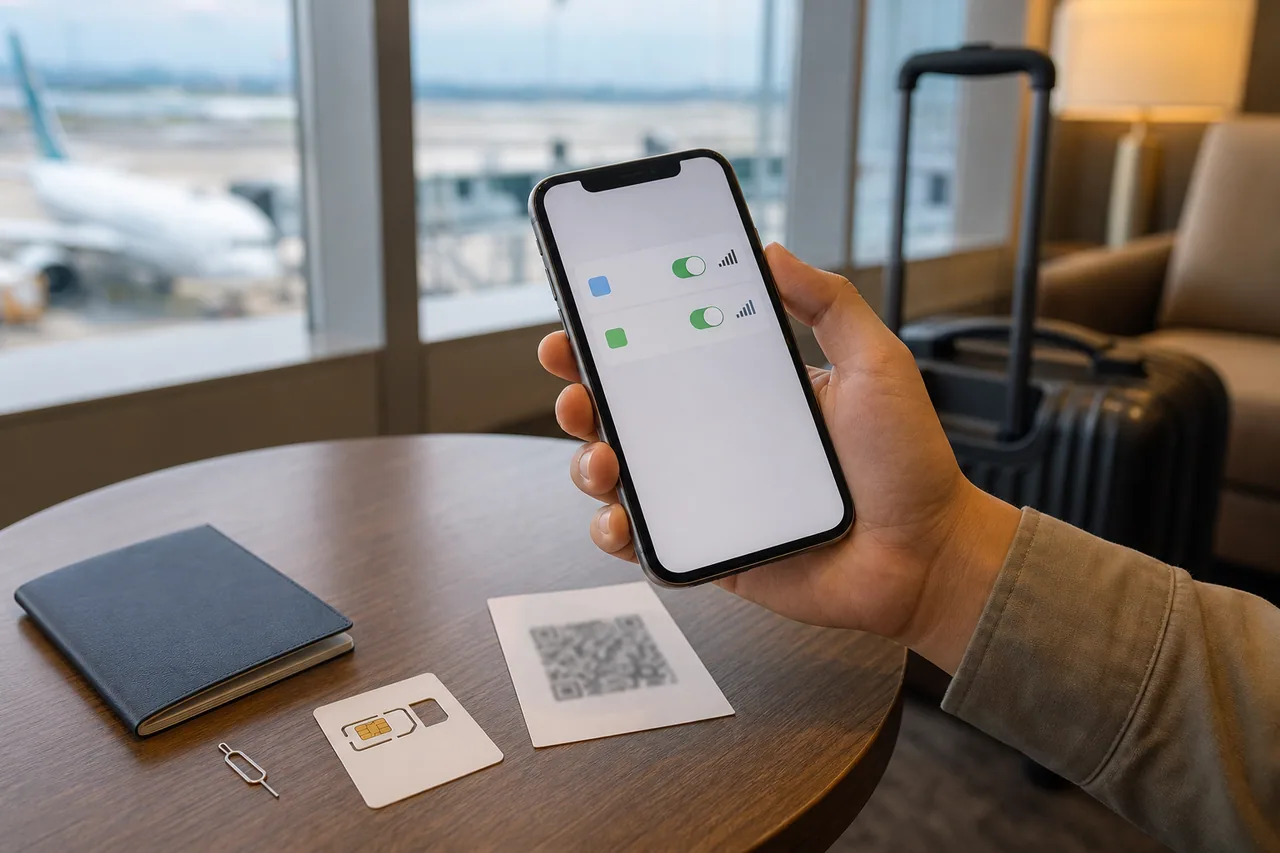
For a short Korea trip, the four common choices are a travel eSIM, a physical prepaid SIM, roaming from the home carrier, and a portable Wi-Fi router. They can all provide maps and messaging, but they solve different problems.
| Option | Usually strongest when | Check before paying |
|---|---|---|
| eSIM | One compatible unlocked phone needs fast setup without opening the SIM tray | Exact model support, activation timing, data-only versus Korean number |
| Physical SIM | The phone lacks eSIM or the plan needs a local number and conventional SIM | SIM tray, device unlock, number/voice/SMS inclusion, where activation occurs |
| Home roaming | Keeping the usual number and immediate arrival connectivity matter more than price | Daily cap, included data, speed reduction and whether incoming calls cost extra |
| Pocket Wi-Fi | Several people or Wi-Fi-only devices will share one connection | Battery, pickup/return location, deposit, loss fee and separation risk |
The Korea Tourism Organization lists roaming centers at major airports and describes prepaid SIM, eSIM and Wi-Fi rental as visitor options. It also notes that prepaid SIM products can provide data or a personal number, with terms varying by product. Treat “unlimited” as a marketing label that still needs a fair-use and speed-throttling check.
Check the exact phone, not just the product family
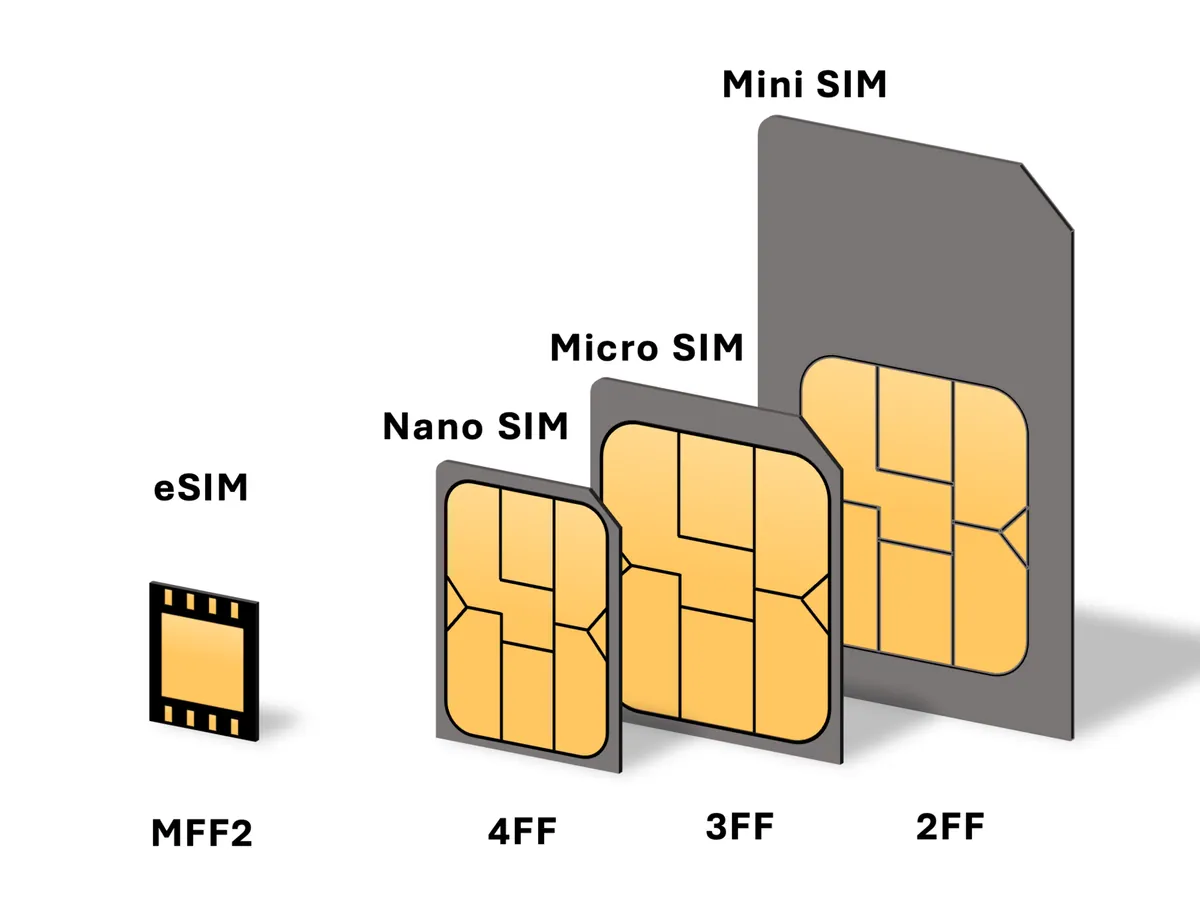
Do not buy based only on a name such as “iPhone 14” or “Galaxy S23.” eSIM capability, physical SIM trays and supported bands can differ by market and model number. A phone also needs to be carrier-unlocked to use a plan from another carrier.
On iPhone, Apple says an unlocked device shows No SIM Restrictions beside Carrier Lock in Settings → General → About. Supported iPhones can hold several eSIM profiles, but the number of simultaneously active lines depends on the model. On Galaxy phones, Samsung’s current path is generally Settings → Connections → SIM manager → Add mobile plan; menu wording can vary by software version and region.
Before purchase, confirm:
- exact model number and eSIM support;
- carrier-lock status;
- whether the plan is data-only or includes a Korean number;
- whether that number can receive ordinary SMS and calls;
- tethering/hotspot policy and any daily high-speed limit;
- when the validity clock starts: purchase, installation, activation or first network connection;
- whether the profile can be reinstalled after deletion or moved to another phone.
A local number does not guarantee that every Korean reservation or identity-verification system will accept it. Some services require a resident identity relationship, not merely a Korean-looking number. Buy a voice/SMS plan for clear communication needs, not as a promise that every domestic account signup will work.
eSIM is convenient, but prepare the activation path
An eSIM removes the need to handle a tiny physical card. Apple and Samsung both document QR-code installation, and Apple notes that a travel eSIM generally requires an unlocked compatible iPhone and a Wi-Fi or hotspot connection for setup. Install while dependable Wi-Fi, the purchase email and provider support are available.
Keep the activation code private. A QR code can represent a one-time credential; do not post it in a public message or screenshot. Save the provider’s manual activation values and support contact separately. If the QR code is displayed on the same phone that must scan it, learn whether the device supports long-press installation from the email, a provider link, an app, or manual entry.
Do not delete a profile simply because it has no signal before arrival. Some travel profiles only register in the destination. First verify the provider’s activation rule, turn the line on, select it for data, and enable data roaming on the Korea travel line only if the provider instructions require it. Travel eSIMs sometimes use a partner network, so the word “roaming” in that line’s settings does not necessarily mean home-carrier roaming.
Configure dual SIM without exposing the home line to data charges
Name the two lines clearly, for example Home and Korea. Select the Korea line under Cellular or Mobile Data. Turn off cellular-data switching unless you intentionally want the phone to fall back to the home line when the Korea line is weak.
For the home line:
- disable data roaming;
- check whether voice roaming and incoming SMS have charges;
- keep the line on only if you need banking or account-verification messages;
- avoid answering unexpected calls until the home carrier’s price is clear.
For the Korea line:
- follow the provider’s instruction for data roaming and APN;
- choose it as the mobile-data line;
- test a browser, Naver Map and a messaging app with Wi-Fi turned off;
- test hotspot separately if other devices depend on it.
Screenshot the final line settings without exposing phone numbers or activation codes. That makes it easier to restore the intended configuration after a software update or accidental toggle.
Physical SIM and pocket Wi-Fi still have clear advantages
A physical SIM is a sensible fallback for a compatible unlocked phone without eSIM. It can also be easier when staff activation and a plan with voice or SMS are important. Store the home SIM carefully and bring the correct eject tool; a lost home SIM can interrupt authentication after the trip.
Pocket Wi-Fi can serve a family, laptop or Wi-Fi-only tablet without modifying every device. Its weakness is a single point of failure: if the person carrying it walks away, the group loses maps and messaging. It also needs charging and a return plan. Give at least one traveler independent emergency connectivity rather than making every phone depend on one router.
Home-carrier roaming is often the least complicated arrival backup. Even if it is too expensive for the entire trip, knowing how to enable a small travel pass can help if an eSIM email, airport counter or payment fails. Confirm the price before departure instead of discovering it through automatic roaming.
Arrival test: do it before you need a taxi or transfer
At the airport or accommodation, turn Wi-Fi off and test in this order:
- Confirm the Korea line shows a network and mobile data indicator.
- Open two unrelated websites.
- Find the current location and one saved destination in the map app.
- Send a message through the service you will use with companions.
- If included, test an ordinary call, SMS or hotspot.
If there is no data, do not repeatedly delete and reinstall the profile. Restart the phone, confirm the selected data line, review the provider’s roaming and APN instructions, and try automatic network selection first. Contact the provider through its official support channel while Wi-Fi is still available.
Complete the broader Korea travel app setup checklist before departure so maps, taxis and safety tools are already signed in. Keep a second payment method for an airport purchase with the Korea payment backup plan.
Keep a connection evidence card
Save a short note after the arrival test. It turns “the eSIM does not work” into information a provider can act on without exposing the activation QR code.
| Record | Useful example | Do not include publicly |
|---|---|---|
| Exact device | Model number, operating-system version, carrier-lock status | Serial number or full device identifier |
| Plan state | Purchase time, stated activation rule, remaining validity | QR code and manual activation credential |
| Network state | Carrier name, signal indicator, selected data line | Full phone number unless support specifically requires it |
| Failed test | Website, map, message, call, SMS or hotspot | Passport and payment-card images |
| Steps already tried | Restart, automatic network selection, APN checked | Repeated profile deletion without provider approval |
If the provider asks for screenshots, crop account, phone-number and activation details. A timestamped note also helps separate a device setup problem from weak coverage at one airport gate or station.
Before returning home
Apple’s current guide says iOS 26 or later may switch off a travel eSIM and restore the home line automatically on return, depending on the country or region. Verify the active data line yourself if no notification appears. Samsung also warns that deleting an eSIM profile does not cancel the carrier contract; contact the provider separately if cancellation is needed.
Check whether the travel plan renews automatically. Turn off the Korea line when it is no longer needed, reselect the home line for mobile data, and confirm that its normal settings are restored. Do not erase an eSIM profile until you are certain no refund, remaining use or troubleshooting step requires it.
The right connectivity plan is the one that has been tested on the exact device and still leaves a fallback. A cheap data package is not useful if it starts too early, cannot be installed, or silently sends traffic through the home line.