
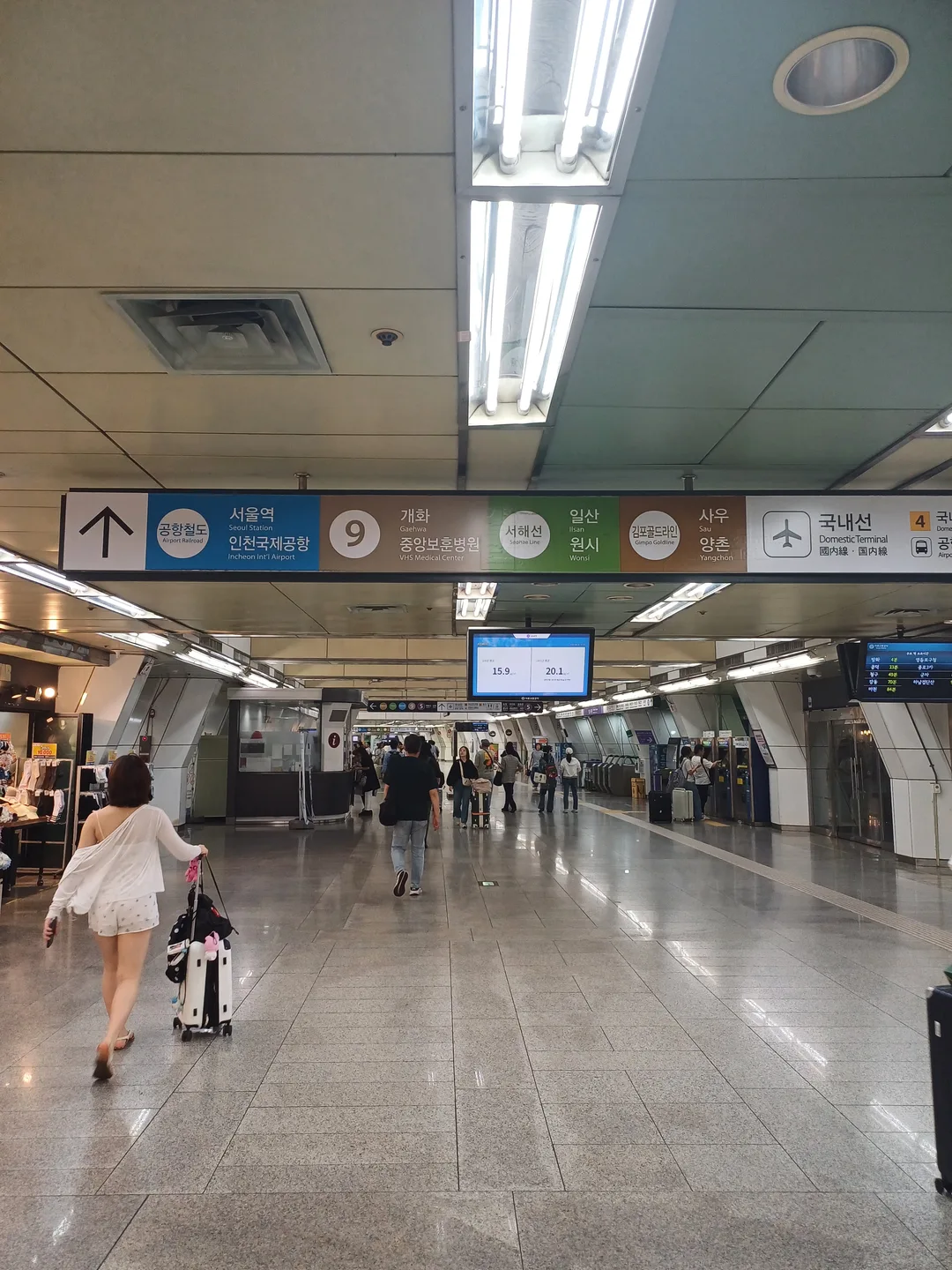
One station, two airport terminals, five lines
At 김포공항역 / Gimpo Int’l Airport, the first decision is simple: are you catching a flight or changing trains? Make that choice before following the crowd. A sign for a railway transfer is not a shortcut to airline check-in.
The station connects AREX, Line 5, Line 9, Gimpo Goldline and the Seohae Line. Korea Airports Corporation publishes the airport transport information; AREX and Gimpo City’s current pages also confirm the connecting lines.
Station layout: exits, floors and elevators
This Line 5 diagram includes the connected Line 9, AREX, Gimpo Goldline and Seohae areas. Check the domestic or international terminal direction separately from the train-transfer route.
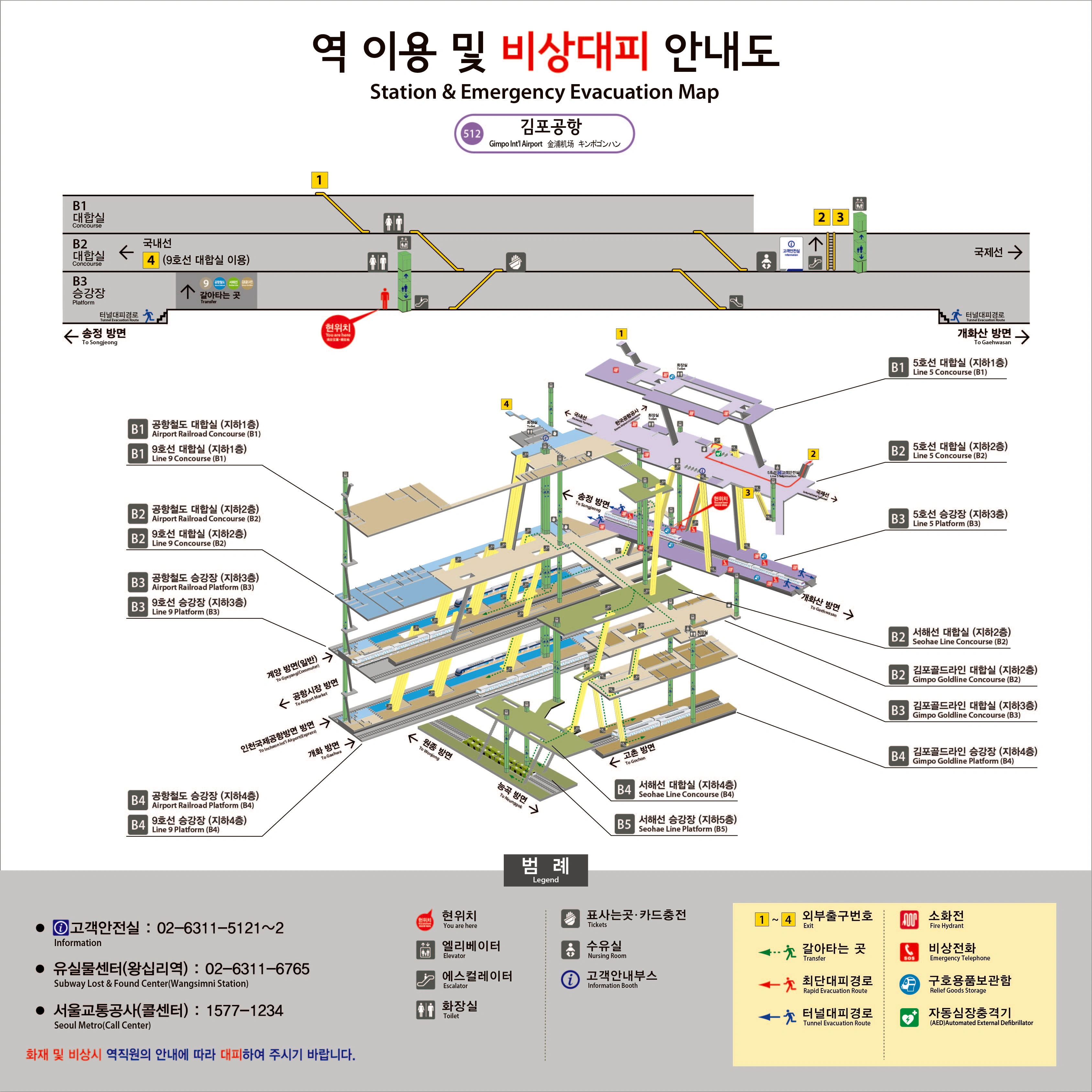
Open the full-size station map ↗
“You are here” marks the original sign location, not your live position. Follow current signs and staff instructions; use a live journey planner for train times.
Domestic or international: read the booking first
Follow 국내선 / Domestic Terminal for a domestic departure and 국제선 / International Terminal for an international one. Do not select a terminal from the airline’s name alone. An airline can operate different kinds of flights, and your booking is the useful reference.
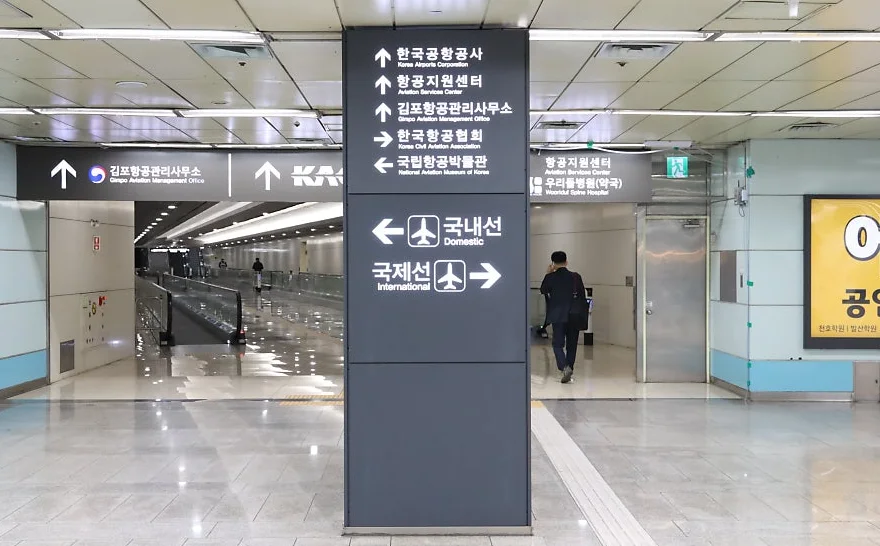
The station and check-in hall are not the same place. Include the terminal walk, lifts, check-in queue and security in your departure plan. Allow extra time for the walk from your platform, especially with luggage or if you need lifts. Airline check-in deadlines take priority over a journey planner’s arrival time.
Which train do you need?
| Your next destination | Line to look for | The important distinction |
|---|---|---|
| Hongik University or Seoul Station | AREX toward Seoul Station | All-Stop service |
| Incheon Airport | AREX toward the airport terminals | Check Terminal 1 versus Terminal 2 |
| A stop on Line 5 | Purple Line 5 signs | Confirm direction and destination |
| A stop on Line 9 | Line 9 signs | Check whether the arriving service stops at your destination |
| Gimpo city | Gimpo Goldline | Not the airport railroad |
| A stop on the Seohae Line | 서해선 / Seohae | Follow its own transfer passage |
AREX Express does not stop at Gimpo Airport. Use All-Stop for travel between Gimpo and Incheon. Also check the flight booking carefully: Gimpo and Incheon are different airports, even when both appear in an itinerary for Seoul.
Follow the line name through the transfer
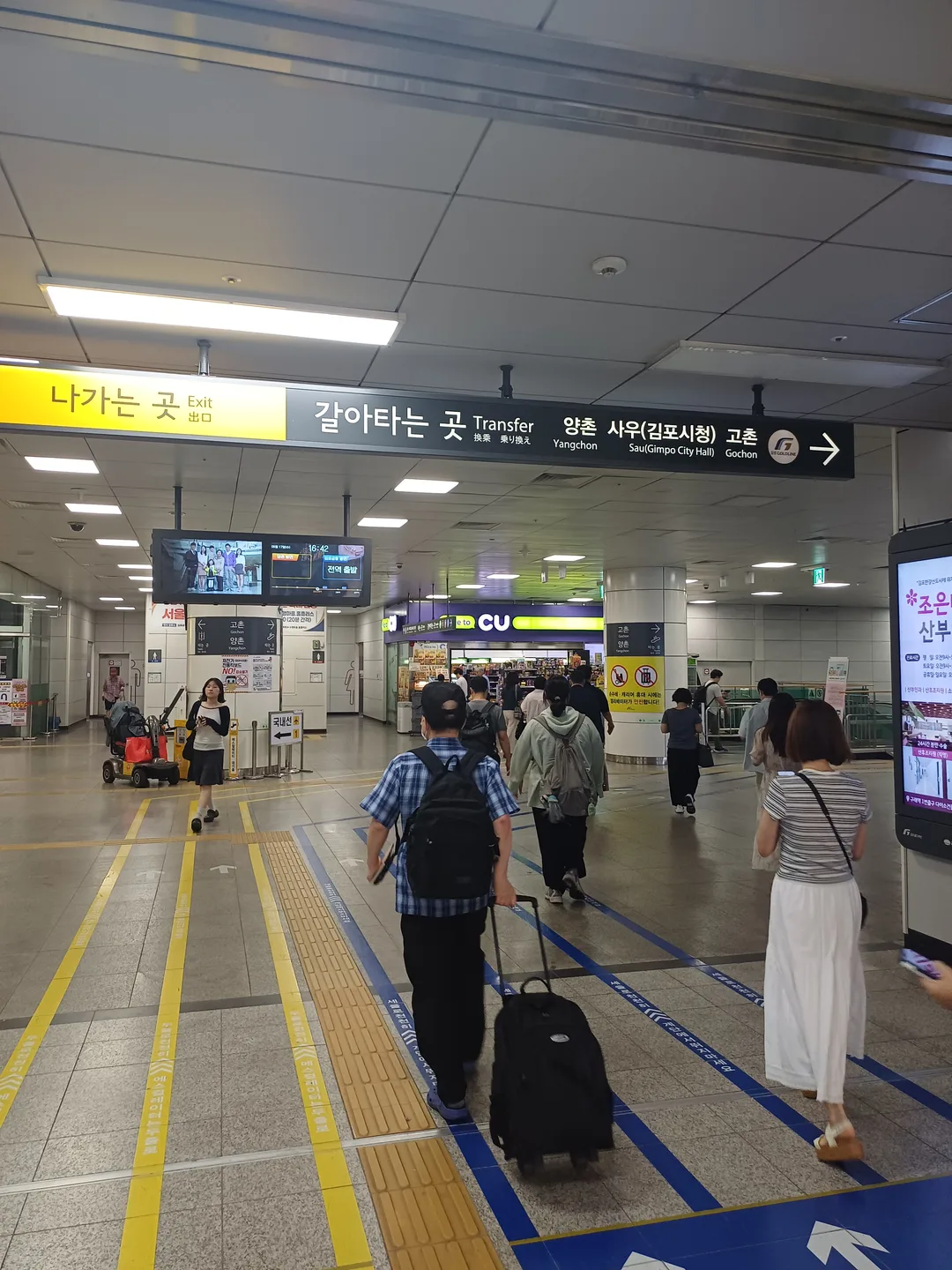
Keep following the chosen line at each junction. With large bags, follow elevator symbols even if they take you away from the busiest escalator. Read the platform display again at the end; reaching the right line does not prove you are on the right-direction platform.
Toilets and luggage storage
AREX lists lockers and a wheelchair charger on B1, plus an accessible toilet in its Gimpo station area. Seoul’s storage guide separately lists T-Luggage on B1 near the Line 5 information center. These services are in different operator areas; “B1” alone is not enough to find them.
Use the restroom before a terminal walk or a long transfer if that suits your schedule. Do not assume every toilet lies outside a fare gate. For storage, confirm opening hours and collection arrangements before leaving a bag—especially if you will return after an evening flight.
Before you leave the hotel
Check the airline booking, the current operator timetable and the exact starting address. Use NAVER Map for the full route, not only the rail segment. If your flight is very early or arrival very late, confirm that the train connection is operating and arrange an alternative if it is not.
For the onward city route, see the Hongik University guide or Seoul Station guide. If you need an elevator or space for a large suitcase, ask staff before starting the next transfer.
Lost property and useful phone numbers
If you have just left something on a train, tell station staff immediately. Have the line, direction, approximate time, carriage or door position and a description of the item ready. The same station name can belong to several operators: contact the one whose train or station area you used.
| Who to contact | Phone in Korea |
|---|---|
| Line 5 lost property · Wangsimni | 02-6311-6765 |
| Line 9 lost property · Dongjak | 02-2656-0999 |
| AREX lost property · Geomam | 032-745-7777 |
| Gimpo Goldline customer service | 031-8048-1500 |
| Gimpo Airport terminal lost property | 02-2660-4097 |
| Airport transport and general enquiries | 1661-2626 |
Numbers checked against operator publications on 6 October 2026: Metro centres · Line 9 · AREX contacts · Goldline · airport directory.
Seoul Metro’s lost-property centres for Lines 1–8 open Monday–Friday, 09:00–18:00, excluding public holidays. The Line 9 centre at Dongjak opens Monday–Friday, 10:00–19:00, excluding public holidays. Call before travelling to a centre; recently found items may still be at a station. Have the line, time and item description ready when calling, as English-language assistance varies by operator.
These are domestic dialling numbers. From overseas, add +82 and omit the leading zero from a normal 02/031/032 number. Korean 15xx/16xx service numbers may not connect internationally. Registered items can also be searched on the police lost-property portal.
The airport terminal number is not the rail station lost-property office. For an item left inside an aircraft, contact the airline; for the Seohae Line, ask station staff to identify the responsible operating section before calling a rail office.